I get emails from time to time from people asking how to start a blog. I usually reply with a lot of information, so I decided to publish a complete guide to starting your own blog. I’ve included answers to common questions I receive. This is a detailed post because I wanted to cover the essentials, but I hope it helps if you’re thinking about blogging.
Q: Why start a blog?
Starting a blog was one of the best decisions I made in college. I thought about it for months and, after encouragement from my sister, I finally created mine one night during fall break of my freshman year.
What began as a hobby at 19 has grown into a platform I use to communicate with thousands of people daily. It opened opportunities to work with brands and to earn side income while I was a student. Some months I earned more from the blog than from my campus jobs, which surprised me when I first started.
If blogging interests you, if you enjoy writing, or if you want a creative outlet, I’d encourage you to start your own.
Q: What does “self-hosted” mean?
My blog’s URL is www.healthy-liv.com. There’s no .wordpress or .blogspot in the address because I own the domain name and pay for hosting. That’s what “self-hosted” means: you own your domain and host the site yourself rather than using a free subdomain provided by a platform.
Q: I’m thinking about starting a blog, but I’m not sure if I want to pay for it since there are free options. Why go self-hosted?
I briefly considered free services when I started, but chose to buy a domain and self-host for several reasons:
- The URL looks cleaner and more professional.
- I wasn’t making an impulse decision — I wanted to take blogging semi-seriously and treat it like any hobby with a small start-up cost.
- Self-hosted sites let you install plugins to customize your site, such as social sharing buttons or an Instagram widget.
- Self-hosting allows you to display ads or publish sponsored posts, which many free platforms prohibit.
- Some free platforms claim rights to content and may run ads that don’t earn you anything.
- Switching from a free site to a self-hosted site later can be a hassle.
After a few months I started running ads, and within another two months the revenue covered my blog costs for the year. Self-hosting is an investment, but with growing traffic and a few monetization strategies, it’s easy to cover costs.
Q: What’s the difference between wordpress.org and wordpress.com?
WordPress.org is the software you install on a self-hosted site. WordPress.com is a hosted service that offers free blogs with a .wordpress.com address. Most serious bloggers use WordPress.org because it gives full control and customization options. If you follow the setup steps below, WordPress.org will be installed for you.
Let’s Get Started!
What You’ll Need:
– About 20 minutes to set things up
– A credit or debit card to pay for hosting (a few dollars per month)
Step One: Pick a Host for Your Site
There are many hosting providers that vary by price and features. I chose a reputable host that offered a simple, affordable plan focused on hosting and a domain name, without unnecessary extras like multiple email accounts or multiple sites.
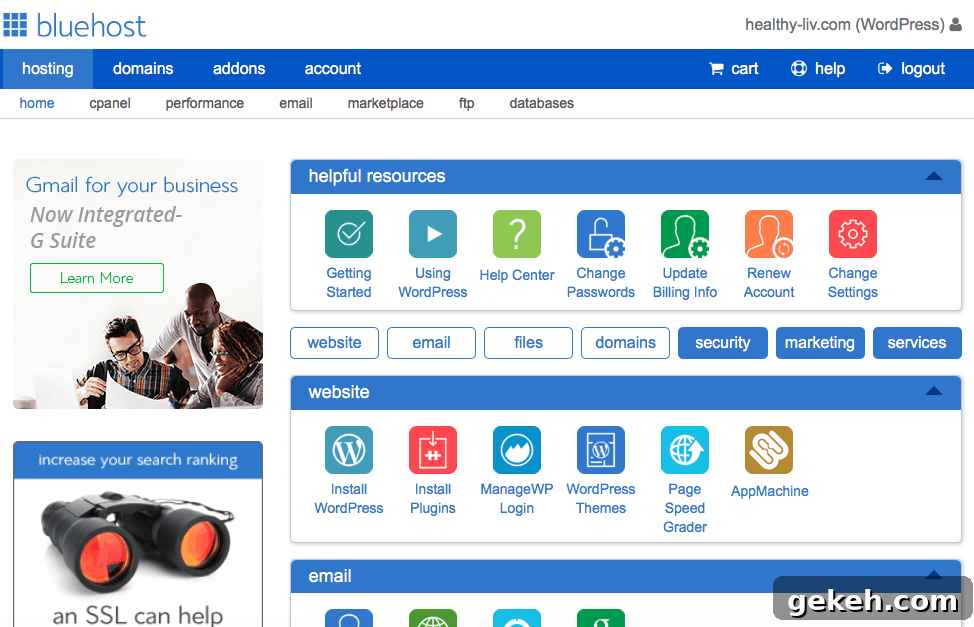
I use BlueHost because they offer affordable plans and 24/7 phone support. I’ve been happy with their reliability and support — once they restored my site from a backup after I broke it while editing code.
Step Two: Pick Your Domain Name and Purchase a Hosting Package
Many hosts include a free domain with a hosting plan. Think about a name that reflects you or your niche. I chose Healthy Liv as a play on my name and the phrase “healthy life.” For most beginners, the basic hosting package is sufficient. Consider optional add-ons like backups if you want extra protection.
Step Three: Install WordPress
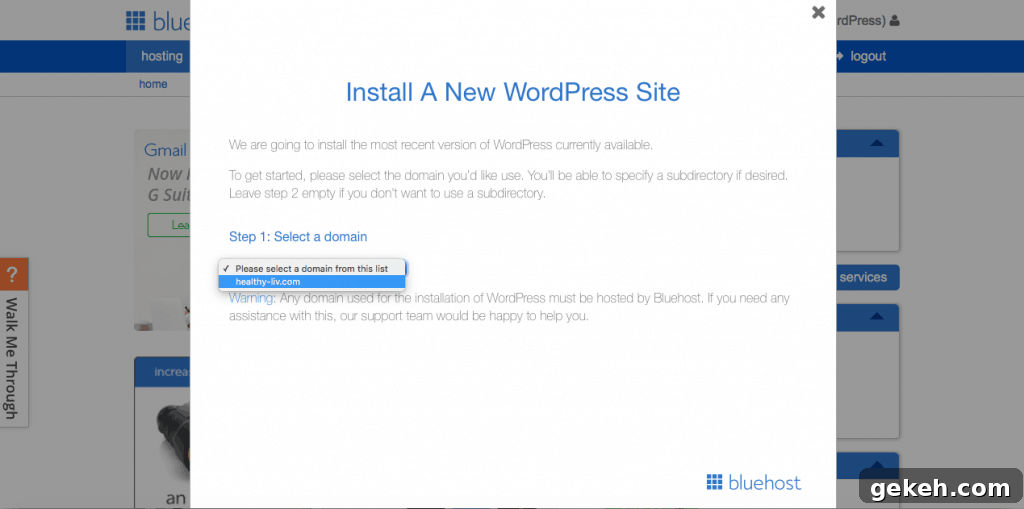
Once you have hosting, log in to your host’s control panel and look for the option to install WordPress. For many hosts the installer is straightforward: select your domain and begin the installation. After a few minutes, WordPress will be installed and you can log into your new site’s dashboard.
Step Four: Design Your Blog by Selecting a Theme
Choosing a theme determines the look and layout of your site. When I started I used a free theme called Sugar and Spice, which worked well until I wanted more customization and later purchased a premium theme. You can browse free themes under Appearance > Themes and install one with a few clicks. Starting with a free theme is a good way to experiment without extra cost.
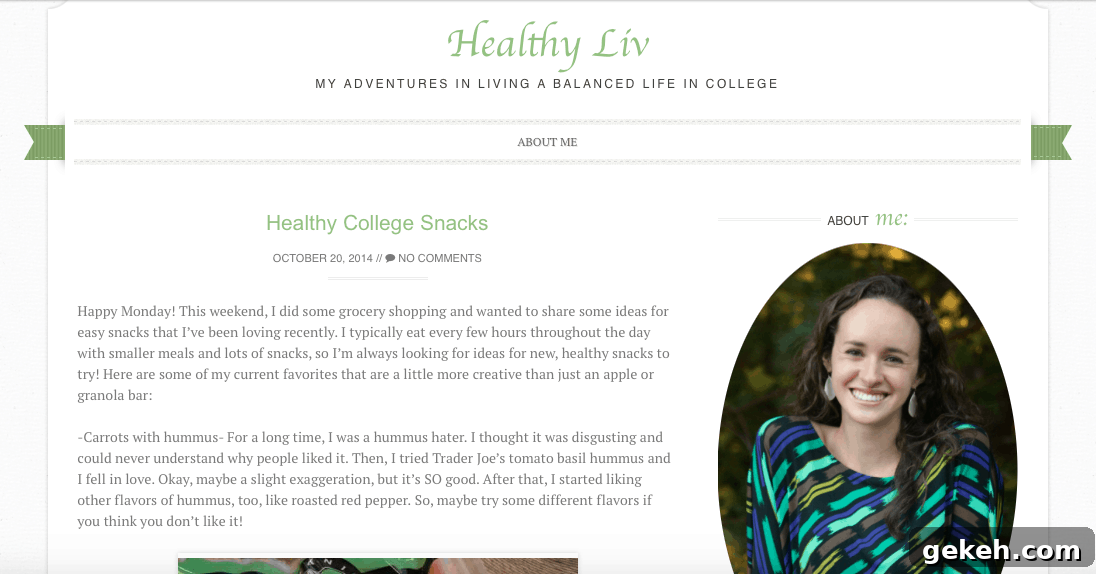
One of my early posts using the Sugar and Spice theme. I added more menu options later.
Step Five: Set Up the Basics: Your Bio, “About Me” Page, etc.
With the technical setup complete, start filling in the pages visitors will see. Create an About page first so new readers can learn who you are and what your blog covers. Add a short bio and photo to the sidebar to show a friendly face. Then write your first post.
Explore the WordPress dashboard and try out plugins under Plugins > Add New. Useful plugins I use include:
- Comment Email Reply — emails commenters when I reply to their comment.
- Instagram Feed — displays a portion of my Instagram in the sidebar.
- Visual Recipe Index — organizes recipes in a visual grid for easy browsing.
Congratulations — You’ve Created Your Own Blog!
I hope you enjoy blogging as much as I do. If you have any questions or run into issues, feel free to reach out. I’m happy to help.
Pin this post for later: